Right panel
Audio I/O
Input/output device pickers, channel selection, and the read-only sample rate display.
The AUDIO I/O module chooses which physical devices NØISE uses for guitar input and monitor/headphone output. It's collapsed by default; its header reads IN <device> · CH n and OUT <device> · 48 kHz. For setup guidance and the reasoning behind "use one device for both", see Audio setup.
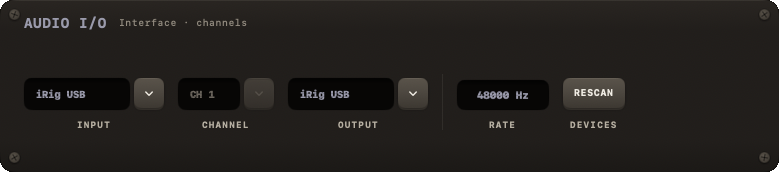
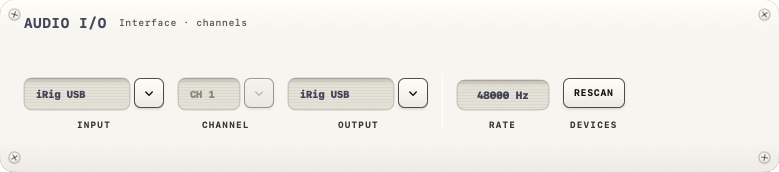
Controls
One row: INPUT · CHANNEL · OUTPUT, then RATE and DEVICES.
- INPUT — a picker over every detected audio interface, plus "None - output only" at the top for running without a guitar input. Picking an interface here also routes the output to it, so one device carries both directions.
- CHANNEL — which of the input device's physical inputs your guitar is on (CH 1, CH 2, …). It reads — when the device has no inputs.
- OUTPUT — a picker over every detected output device.
- RATE — a reading, not a choice: the rate the engine runs at (the output device's rate), in Hz. When input and output disagree it reads the two rates instead —
44.1 kHz ≠ 48 kHz— in the danger colour. It cannot be changed here; use Audio MIDI Setup (macOS). One device for input and output is the lowest latency; two devices have to run at the same rate. - DEVICES › RESCAN — looks for the connected devices again.
Persistence
Your device and channel choices are remembered per device across launches. If a sample-rate mismatch is detected between input and output, NØISE shows the sample-rate mismatch modal.