Right panel
FX
The guitar effects chain — presets, individual effects, delay, and BOOST — with the real signal-processing order.
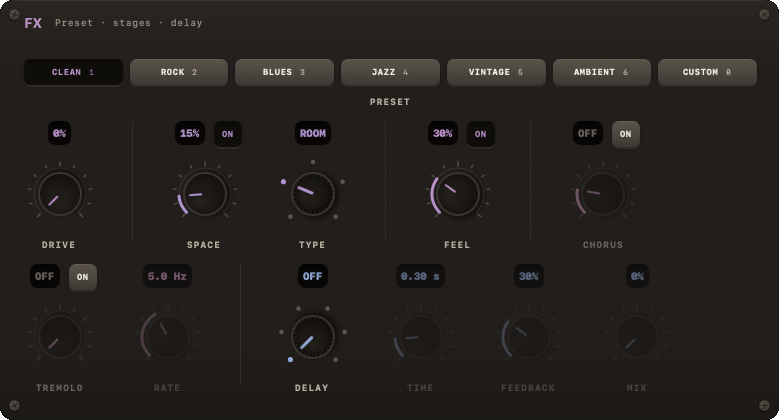
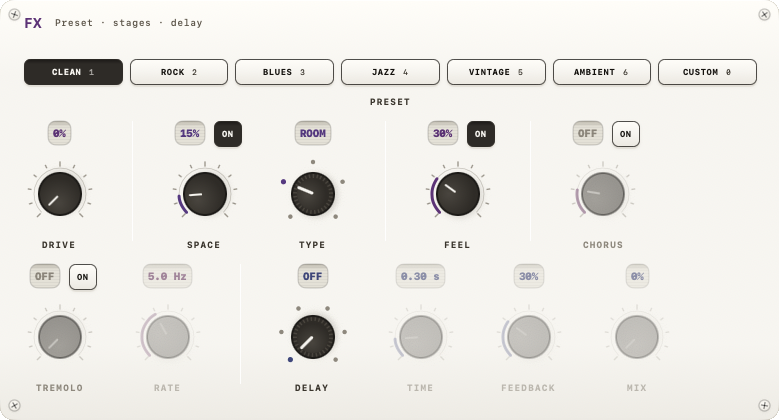
The FX module is the guitar effects chain: a fixed processing order with a preset row on top and the effect controls in two rows underneath.
Presets
Seven buttons, in this exact order: CLEAN, ROCK, BLUES, JAZZ, VINTAGE, AMBIENT, CUSTOM. This is also the keyboard order:
| Key | Action |
|---|---|
| 1 | Clean |
| 2 | Rock |
| 3 | Blues |
| 4 | Jazz |
| 5 | Vintage |
| 6 | Ambient |
| 0 | Custom |
| X | Boost (temporary drive) |
| Y | Cycle delay preset |
Picking a preset dials in a matched combination of the effects below; adjusting any control by hand switches you to CUSTOM.
Effects, in on-screen order
First row:
- DRIVE — gain knob, always active (no on/off).
- SPACE (reverb) — amount knob with an ON key; next to it TYPE picks the room: SMALL, ROOM, HALL, PLATE, CATH. TYPE dims while SPACE is off.
- FEEL (compressor) — amount knob with an ON key.
- CHORUS — depth knob with an ON key.
Second row:
- TREMOLO — depth knob with an ON key, and a RATE knob (0.5–12 Hz) that dims while TREMOLO is off.
- DELAY — its own block, see below.
The actual signal chain order
Note
The preset button row and the delay-preset cycling order (under DELAY below) are not the same thing as the internal signal-processing order. The audio actually passes through the stages in this order:
HPF → Compressor → Drive → Chorus → Tremolo → Delay → Reverb → Cabinet → Limiter
HPF (a rumble-removing high-pass filter), the speaker Cabinet simulation, and the final Limiter are always on — none of the three has a UI toggle or slider anywhere in the FX module. They're permanent, unbypassable stages.
DELAY
A preset switch plus TIME / FEEDBACK / MIX knobs (dimmed when the preset is OFF). Exact preset labels, in cycling order:
OFF · SLAP · 1/8 · 1/8· · 1/4 · 1/2
(Note the fourth preset's label literally ends with a middle-dot character, 1/8·, distinct from plain 1/8 — it's a dotted-eighth delay.) OFF and SLAP are fixed short delay times; the rest are tempo-synced to the session BPM. Dragging TIME away from a synced preset drops delay into an internal "free" mode.
Y cycles through the delay presets in the order above; it's listed together with the FX presets in the shortcut table earlier on this page.
BOOST
A momentary-feeling but actually toggled temporary drive bump: turning it on adds +0.18 to the current gain (clamped at 1.0); turning it off restores the exact gain you had before. Switching FX presets, or manually touching the gain knob while boosted, cancels BOOST automatically. BOOST lives in the transport bar, not inside the FX module — see Transport.