Left panel
Monitor
The always-visible signal plate, the play strip with the chord road, and the session on one line.
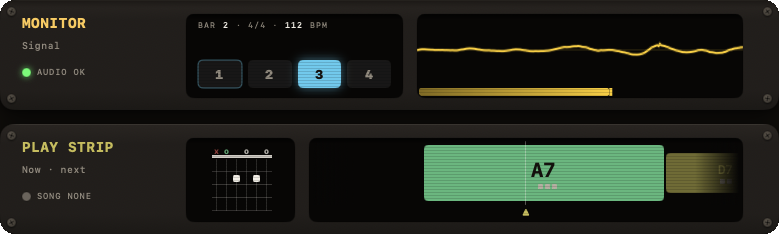
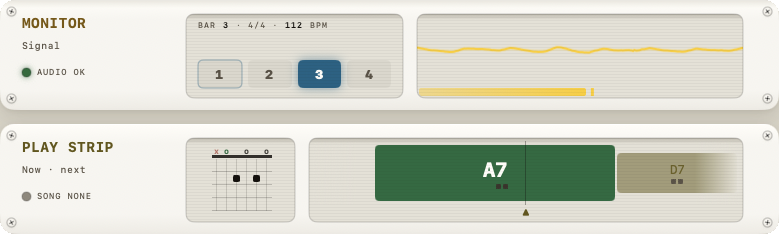
MONITOR sits at the top of the left panel. Unlike the other modules it is always there and never collapses. It is three fixed plates: MONITOR (your signal), PLAY STRIP (the chord road) and SESSION (what the band knows). MONITOR and PLAY STRIP are the first two plates in the left column; SESSION is pinned across the top of the window, under the header.
Input scope and level
The MONITOR plate has two screens. The left one is the beat display, in the GRID colour. The right one is your signal:
- An oscilloscope — a live trace of the raw input waveform. No numeric readout, just the trace. Click it for another face — scope, bars, body or cells — and NØISE remembers the one you picked.
- A VU meter — a single horizontal level bar with a peak-hold indicator, normalized over roughly a −60 dB to 0 dB range, turning orange above 80% and red above 95%. There's no numeric dB label and no sensitivity/threshold control on this meter — for the input gate, see Volume.
An AUDIO LED in the title block reads AUDIO OK, AUDIO OFF or RATE MISMATCH.
Progression timeline
The PLAY STRIP plate, two screens. On the left, the shape of the chord to form now. On the right, the road: the chords of the JAM progression that is playing, as blocks on a timeline (not audio-detected — these are the programmed chords). The playhead ▲ stays centred and the music moves past it: a block lights while it plays and dims once past, the key's root chord is tinted in the KEY colour, and rests dim out. When a song is loaded, a section band below it shows the current section name and repeat count (e.g. "VERSE 2/2"), and a SONG LED in the title block names the song, with an eject key beside it that puts the song down. Click the strip for the big view (P): the same shapes and road at playing size — Play along, with the band's lanes and the tempo at its foot.
Theory strip
The SESSION plate: a read-only row of small badges — KEY, MODE, TUNING, FX, BPM, TIME, DRUMS, JAM, SONG — and a SCALE row showing the 7 diatonic notes of the current key with their scale degrees (roman numerals). This scale row always shows the plain diatonic major/minor scale of the current key — it does not reflect whatever scale type is selected in the SCALE module below.
A tuning warning does not appear here. When your guitar tuning isn't Standard, the CHORDS module says so in its TUNING readout — TRANSPOSED, SOME MISSING or NO SHAPES — see Key for what each means per tuning type.