Left panel
Chords & theory
The CHORDS module with the shape diagrams, and the chord detector that listens live — compact, and at full size.
Three separate things in NØISE share the word "chord", and they don't talk to each other. This page disambiguates them.
CHORDS — diatonic chord diagrams (theory reference)
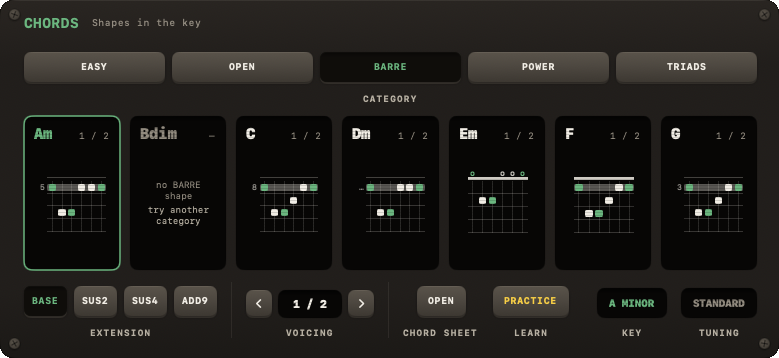
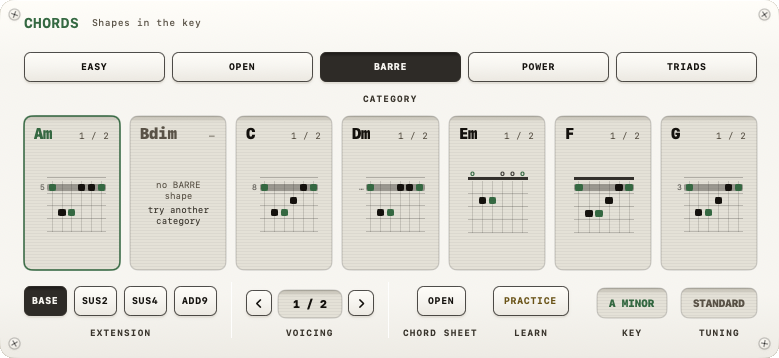
An always-present, collapsible module showing the 7 diatonic triads of your current key as guitar fretboard diagrams — purely computed from music theory, nothing to do with audio.
- CATEGORY picks the family of shapes for all 7 at once: EASY, OPEN, BARRE, POWER, TRIADS. Every card redraws, and each goes back to its plain version.
- Click a card to select it. The row under the cards acts on the selected one: an EXTENSION (BASE / SUS2 / SUS4 / ADD9 — those the shape can't take are dimmed) and the VOICING stepper for another fingering. The same row reads the KEY and what your TUNING does to the shapes.
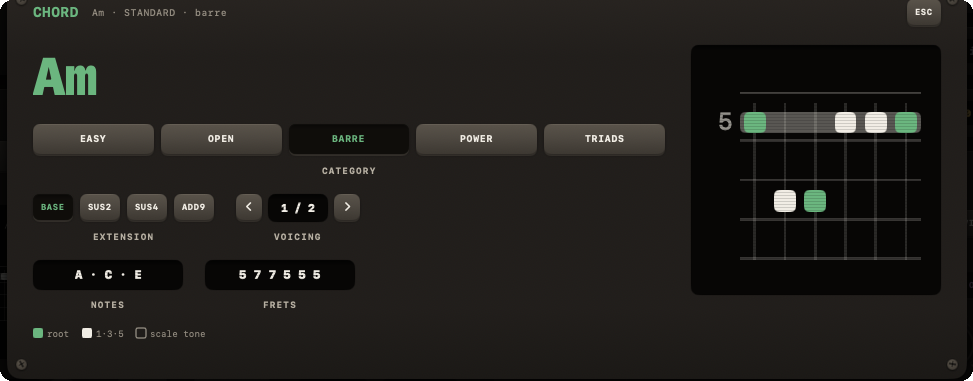
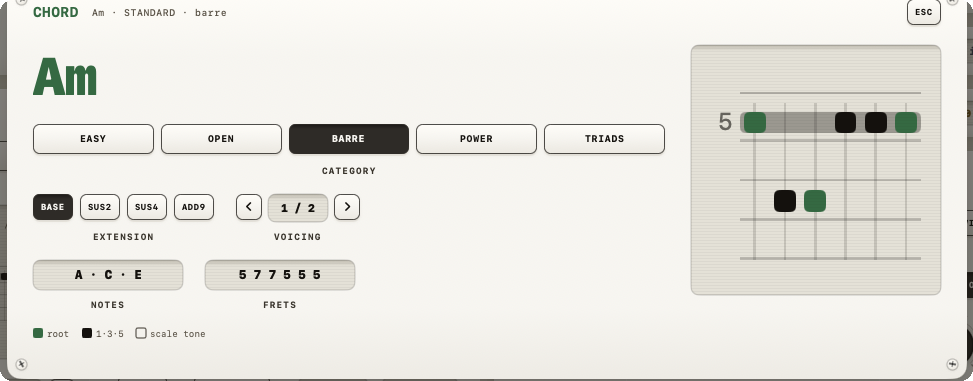
- CHORD SHEET › OPEN (or a double-click on a card) opens the chord sheet: that one chord at full size, with its notes and frets and the same CATEGORY, EXTENSION and VOICING controls. ESC closes it.
Note
Clicking a chord diagram never plays a sound — it's a purely visual reference. Diagrams follow your active tuning: Half/Full-step-down tunings transpose them (the TUNING readout says TRANSPOSED), Drop tunings hide shapes that need the low string (SOME MISSING), and Open tunings show no diagrams at all (NO SHAPES).
LEARN › Practice here opens chord practice, a separate exercise that names a chord and listens for you to play it.
CHORD DETECTOR — live audio recognition (compact)


Toggled by CHORD DETECT in the transport bar or the C key. Listens to your input, analyzes its chroma content, and shows the best-matching chord live: a chord symbol, a confidence percentage, a runner-up ("or …"), and 12 chroma bars (one per pitch class). It's blanked to "--" when the input is too quiet.
| Key | Action |
|---|---|
| T | Tuner |
| M | Metronome (the transport never stops it) |
| C | Chord detect (listens to what you play) |
| ⌃C | Chord visualizer popup |
| Q | Quickstart (when the band is stopped) |
| S | Song browser |
| ⌘N | New song in the editor (SONGS open) |
| P | Play-along view (big chords + shapes) |
| I | This overlay |
| ESC | Close topmost panel |
| L | Looper: record, or add a layer while it plays |
| ⇧L | Looper: play / stop |
| U | Looper: take the last layer back |
| ⌥L | Looper: clear |