Right panel
Grid
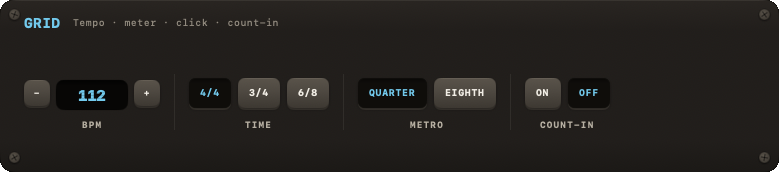
Tempo, time signature, metronome subdivision and count-in — the session's shared clock.
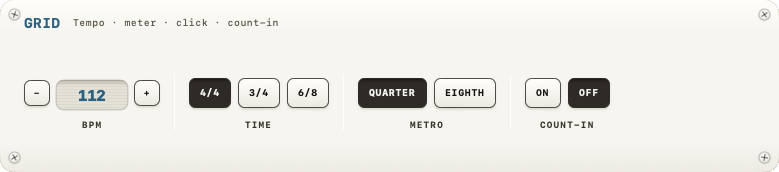
The GRID module sets tempo, time signature and the metronome's behaviour. It is the shared clock that drums, JAM and the metronome all follow.
Tempo (BPM)
- Click the readout and type (since 0.71): digits only, RETURN or leaving the field sets the value, clamped to the range; ESC puts the old one back. On the iPad the number pad comes up with an OK key above it.
- − / + step the tempo by 1 on a tap and, held, keep stepping — faster the longer you hold. Shift steps by 5. The scroll wheel over the readout does the same.
- The range is 40–240 BPM; a song can carry its own tempo outside that range (20–300) and lands it on the clock when it loads — see Song settings. The editor's BPM row is the same control.
+and-on the keyboard step the tempo from anywhere — see Transport.- While a loop exists the tempo is pinned: the stepper, the wheel and typing refuse, TIME is disabled and the readout says
PINNED · LOOP. CLEAR the loop to change it — see Looper.
There is no tap-tempo control in the UI — the underlying model has a tapTempo() method, but nothing in the app calls it; it's unused.
Time signature
TIME offers exactly three options: 4/4, 3/4, 6/8.
Metronome subdivision
METRO: QUARTER or EIGHTH — whether the click plays only on the beat or adds "and" clicks in between. In 6/8 the beat already is an eighth, so EIGHTH is dimmed there and the click stays on the beat. See also Metronome.
Count-in
COUNT-IN, an ON/OFF toggle. When on, starting the band (SPACE or PLAY) counts in before it enters. The count-in length matches the time signature's beat count, except in 6/8, which counts in on only 2 beats ("in 2", a compound-duple feel) rather than 6.