Tools
Session wizard
Key, tempo, drums and JAM set up on one plate, in four rows — only available while the band is stopped.
The wizard is a quick way to configure a whole session — key, tuning, tempo, drums and JAM — in one place, instead of visiting each module separately.
Opening it
Header button QUICKSTART (Q), greyed out while anything is playing (drums, JAM or the metronome).
| Key | Action |
|---|---|
| T | Tuner |
| M | Metronome (the transport never stops it) |
| C | Chord detect (listens to what you play) |
| ⌃C | Chord visualizer popup |
| Q | Quickstart (when the band is stopped) |
| S | Song browser |
| ⌘N | New song in the editor (SONGS open) |
| P | Play-along view (big chords + shapes) |
| I | This overlay |
| ESC | Close topmost panel |
| L | Looper: record, or add a layer while it plays |
| ⇧L | Looper: play / stop |
| U | Looper: take the last layer back |
| ⌥L | Looper: clear |
The wizard is titled QUICKSTART; the line beside the title reads the whole setup back ("C major · 120 BPM · 4/4 · drums rock · band blues"), and the hint under it says what holds: ESC cancels · nothing is applied until START · then the band starts from the top. Clicking outside it does not close it — you must use CANCEL, ESC or START.
The four rows
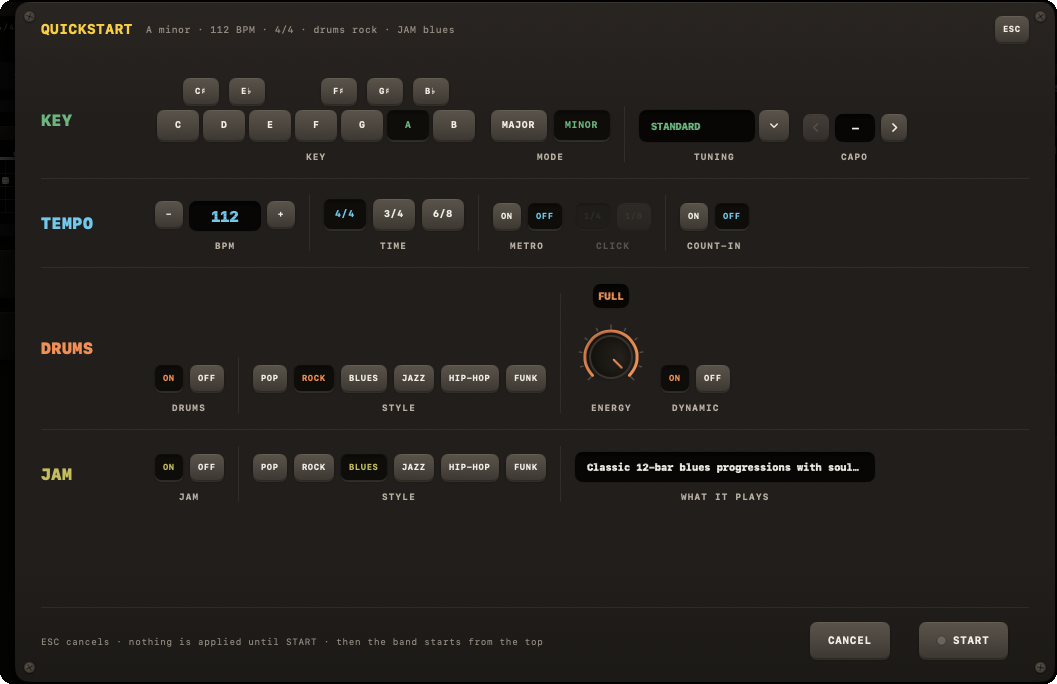
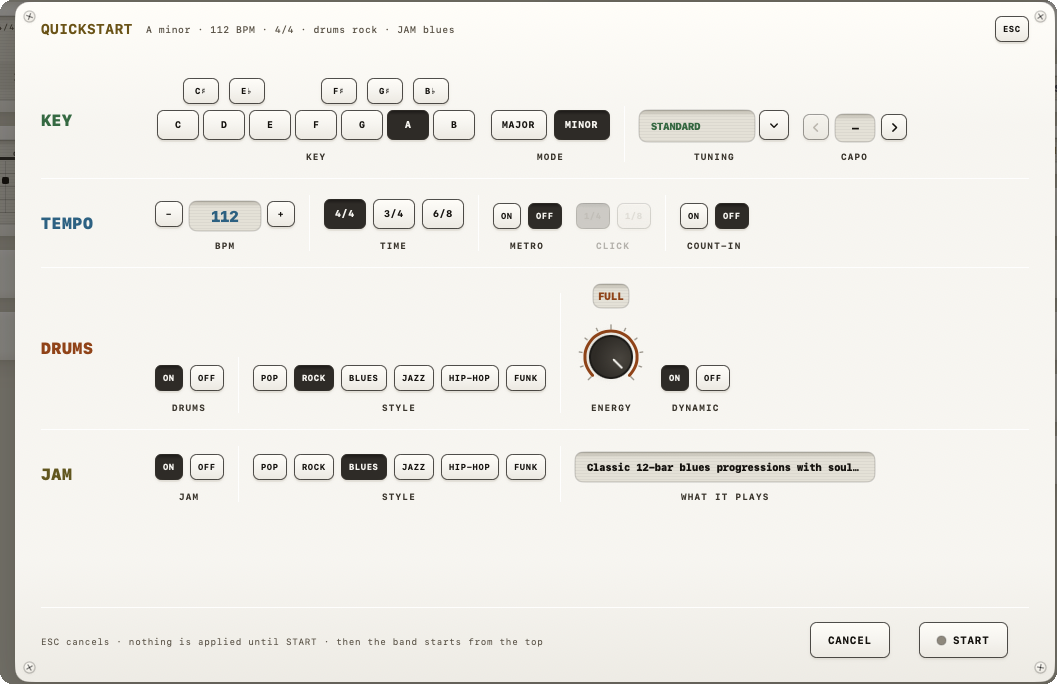
Four rows on one plate, each named in the colour of the module it belongs to:
KEY — the tonic on a 12-note keyboard, MODE (MAJOR / MINOR), and a guitar TUNING from a dropdown.
TEMPO — BPM with − / + keys (40–240; Shift steps by 5), TIME (4/4, 3/4, 6/8), METRO ON/OFF with the CLICK on 1/4 or 1/8 (dimmed while METRO is off), and COUNT-IN ON/OFF.
DRUMS — DRUMS ON/OFF, and while on: STYLE (all 7), an ENERGY knob (MINIMAL / SPARSE / DRIVING / FULL), and DYNAMIC ON/OFF.
JAM — JAM ON/OFF, and while on: STYLE (all 7), with a one-line WHAT IT PLAYS readout, e.g. Blues: "Classic 12-bar blues progressions with soulful voicings", or Metal: "Heavy riffs, power chords and double kick".
Navigation
Two keys at the bottom: CANCEL and START. CANCEL (or ESC) closes the wizard without applying anything. START applies every setting to the live session in one go, starts whichever engines you enabled, and the band starts from the top — with a count-in if you left COUNT-IN on.
Reopening the wizard later pre-fills every field from your current session settings, not fixed defaults — so it always reflects where you left off.